Client and project context
Organize the people, projects and deliverables that make up your workload.
 / apps
Work & communicate · 2TInteractive
 2TI Local-First Operations Desk
Bring clients, projects, time and invoices into one operations workspace. Keep the context of a job close to the activity and documents needed to deliver it.
curl -LO https://2tinteractive.com/apps/releases/2ti-ops-desk-latest-amd64.deb && sudo dpkg -i 2ti-ops-desk-latest-amd64.deb
What you can work with
Available capabilities
Organize the people, projects and deliverables that make up your workload.
Use timers, activity views and categorization tools to review how time is assigned.
Prepare invoicing from the work and records held in the desk.
The workspace uses local persistence; connected services are separate choices.
Inside 2TI Local-First Operations Desk
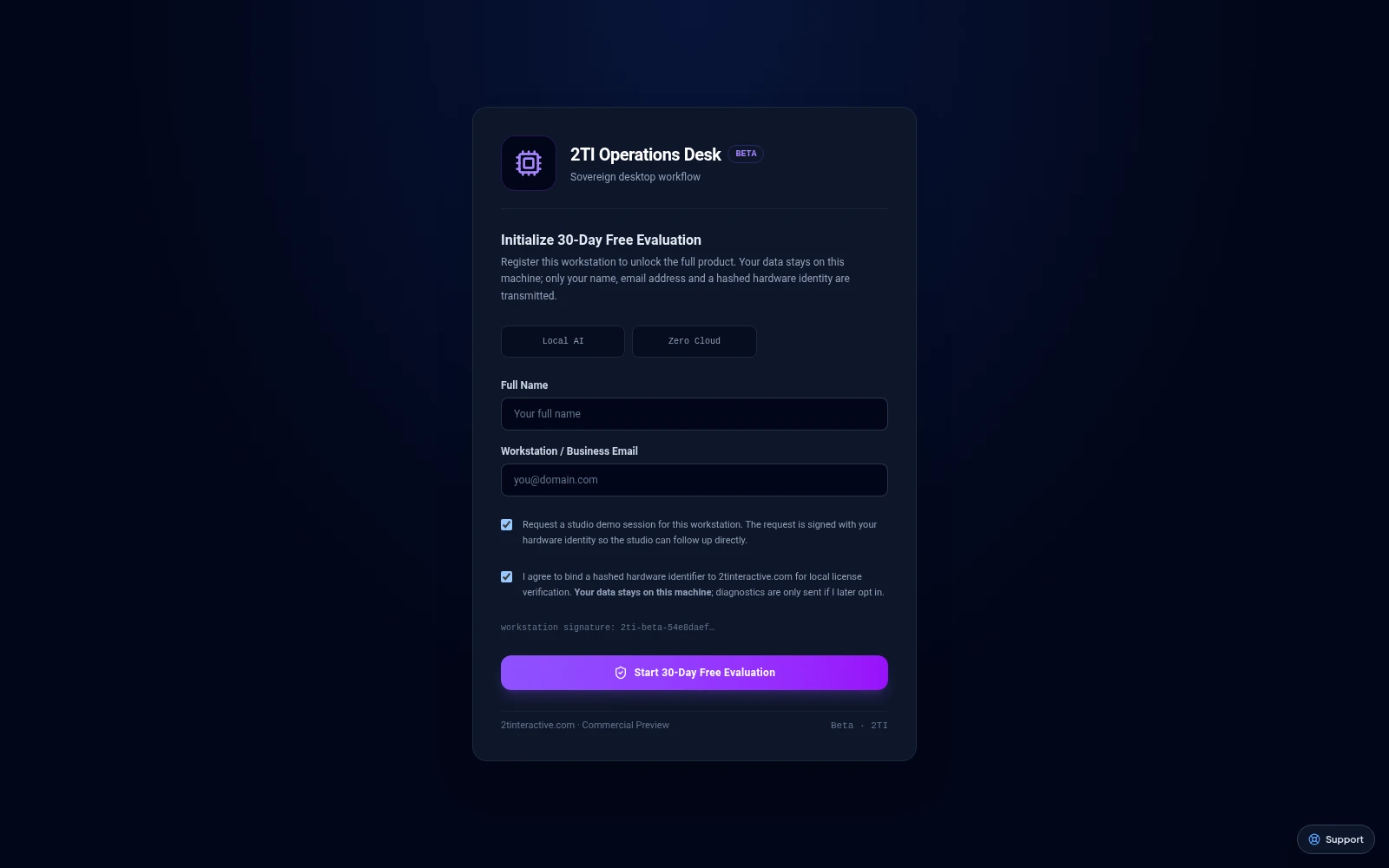
Current browser build at its evaluation setup screen. The workspace remains behind activation; no licensed session or native connection is shown.

Archived workspace preview with example content; not live customer or billing data.
From the first task to your daily routine
Each app has its own job. Connections add scope when they are configured for your workflow.
Use LMailer for correspondence and ForgeTerm or SovereignAI for implementation. Carry agreed scope and completion evidence into Operations Desk; automatic handoff depends on the configured service path.
A product pairing describes a workflow. Automatic data exchange requires an implemented, configured connection.
Read the guide →Availability
Published and checksum verified
Active R&D / Pending native validation
Active R&D / Pending native validation
2TI Operations Desk Linux beta (.deb, amd64) · v0.2.1
Published release artifact, checksum verified on download.
280dd6357bc4954b41ef8fbd8d75bbfb43c5a52b6401e2bfc66961d978c3c8fa2TI Operations Desk Linux beta (.deb, amd64) · v0.2.0
Published release artifact, checksum verified on download.
11dea4c817a1039b3d8a6cbd8616169bb86da655202a97bbf43925fd6c2ef9972TI Operations Desk Linux beta (.deb, amd64) · v0.2.1
Published release artifact, checksum verified on download.
280dd6357bc4954b41ef8fbd8d75bbfb43c5a52b6401e2bfc66961d978c3c8faSee the release notes for the operating-system requirements of a listed package.
Pricing
Commercial plans and prices are being prepared. No paid checkout is available here. Any evaluation terms are shown separately for the applicable release.
Manage your suite account →Start with confidence
Before you begin
Use LMailer for correspondence and ForgeTerm or SovereignAI for implementation. Carry agreed scope and completion evidence into Operations Desk; automatic handoff depends on the configured service path.
Review suggested time categories and invoice details. Browser preview data is not evidence of live billing activity.
Commercial plans and prices are being prepared. No paid checkout is available here. Any evaluation terms are shown separately for the applicable release.
Let’s get you started
Explore the setup guides, check the current release, or talk to us about fitting this workspace into your day.